

Industrial automation depends on accurate data, seamless communication, and reliable visualisation of plant operations. This is where SCADA (Supervisory Control and Data Acquisition) systems play a critical role, enabling real-time monitoring and control across complex processes such as oil and gas production, water treatment, warehousing, and food processing.
Despite its importance, many projects fail or experience expensive delays due to avoidable mistakes during the SCADA planning, development, or upgrade stage. Understanding these pitfalls will help engineering teams make smarter decisions, reduce downtime, and improve long-term performance.
What is a SCADA System?
A SCADA solution is a software-based application used to:
- Control industrial equipment (PLCs, RTUs, drives, field devices)
- Collect real-time and historical data
- Display the data through HMI screens for operator decision-making
- Connect data to central business systems (MES, ERP, SAP)
A modern SCADA implementation usually includes:
| SCADA Element | Description |
|---|---|
| PLC / RTU | Collects data from sensors and controls machinery. |
| SCADA Software (HMI) | Visualizes data and executes supervisory commands. |
| Database (SQL / Historian) | Stores historical and real-time data. |
| Servers / Networks | Connects SCADA to field devices, cloud, or MES systems. |
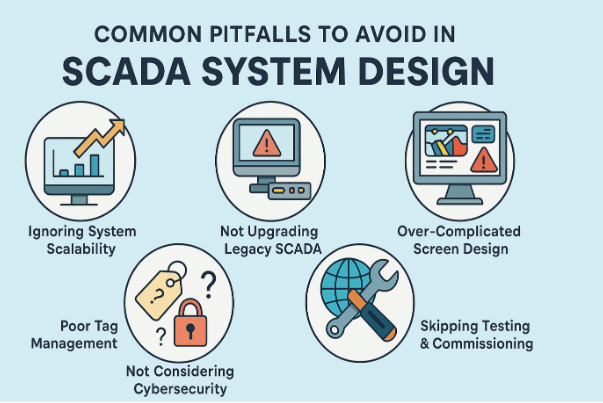
Common Pitfalls to Avoid in SCADA Projects
1. Ignoring System Scalability
Many SCADA systems are initially designed for a small number of devices. When plants expand or add new processes, the system struggles.
Avoid this by:
- Planning for future expansion at the architecture stage
- Using modular programming (tag-based structures)
- Considering cloud / IIoT connectivity from day one
2. Not Upgrading Legacy SCADA or HMI Panels in Time
Legacy systems are still functional – until they suddenly fail.
Symptoms include:
- Screen freezes
- No spare hardware available
- Incompatibility with modern operating systems
Typical legacy upgrades include:
| Legacy Component | Upgrade Solution |
|---|---|
| Outdated PLCs | Migration to newer models (e.g., Siemens S7, Allen-Bradley CompactLogix) |
| Old SCADA software | Migration to Ignition, VTScada, Wonderware, etc. |
| Proprietary hardware | Converting to OPC-UA / MQTT open connectivity |
3. Over-Complicated SCADA Screen Design
Operators need clarity, not animation-heavy screens.
Avoid:
- Too many flashing colours
- Unnecessary graphics
- Deep screen navigation layers
Instead:
- Keep colour coding standard (ISA 101)
- Place key alarms and controls at the top level
- Use intuitive navigation
4. Poor Tag Management
Unstructured PLC/SCADA tags cause major delays during troubleshooting.
Best practice:
- Use consistent naming (“Pump_01_Run_Status”)
- Categorize tags based on process areas (Line01, Line02, etc.)
- Maintain tag documentation
5. Not Considering Cybersecurity
SCADA connected to the internet without security is a major risk.
To mitigate cybersecurity threats:
- Multi-level password access
- Encrypted remote access (VPN)
- Firewalls dedicated to industrial networks
- Disable unused network ports on PLCs
6. Skipping Testing & Commissioning
Moving directly from development to production is a recipe for failure.
Testing must include:
- Simulation of PLC I/O
- SCADA performance under load
- Operator interface acceptance tests
Transitioning to Modern SCADA / Ignition Systems
Many plants are now adopting Ignition SCADA for flexibility and IT-friendly architecture.
Ignition SCADA Capabilities:
- Real-time data acquisition
- Deploy HMI / SCADA clients on desktops, tablets, and smart devices
- Built-in historian and reporting modules
- Supports unlimited licensing
Bringing IoT Smart Devices to SCADA with MQTT
MQTT (Message Queuing Telemetry Transport) enables SCADA data transfer from anywhere, even with poor network reliability.
Benefits of MQTT integration:
- Lightweight protocol (faster than Modbus/TCP)
- Publish/Subscribe model – less bandwidth usage
- Enables IIoT data streaming to SCADA or cloud
Why Partner with ControlSoft Canada (company mention)
Choosing the right engineering partner is critical. ControlSoft Canada designs and upgrades SCADA solutions with expertise in FactoryTalk View, Wonderware, VTScada, Ignition, WinCC and more. From legacy migration to enterprise-level IIoT data integration, they ensure seamless implementation with minimal downtime.
Summary
Avoiding pitfalls during SCADA system design improves system reliability, reduces operational risks, and ensures that your automation infrastructure can scale with future technology. With the right planning, modern architecture choices, and expert integration, your plant operations will benefit from real-time monitoring, faster decision-making, and reduced downtime.

